
Analyze Multiple Search Jobs
Use workspace Chat to analyze results from multiple Tesorai Search jobs in the same workspace. You can compare identification coverage, investigate differences between search settings, or explore related experiments together.
Start by stating what each job represents. Jobs may contain different samples, repeated searches of the same raw files, or results generated with different settings. Those distinctions determine which comparisons make sense.
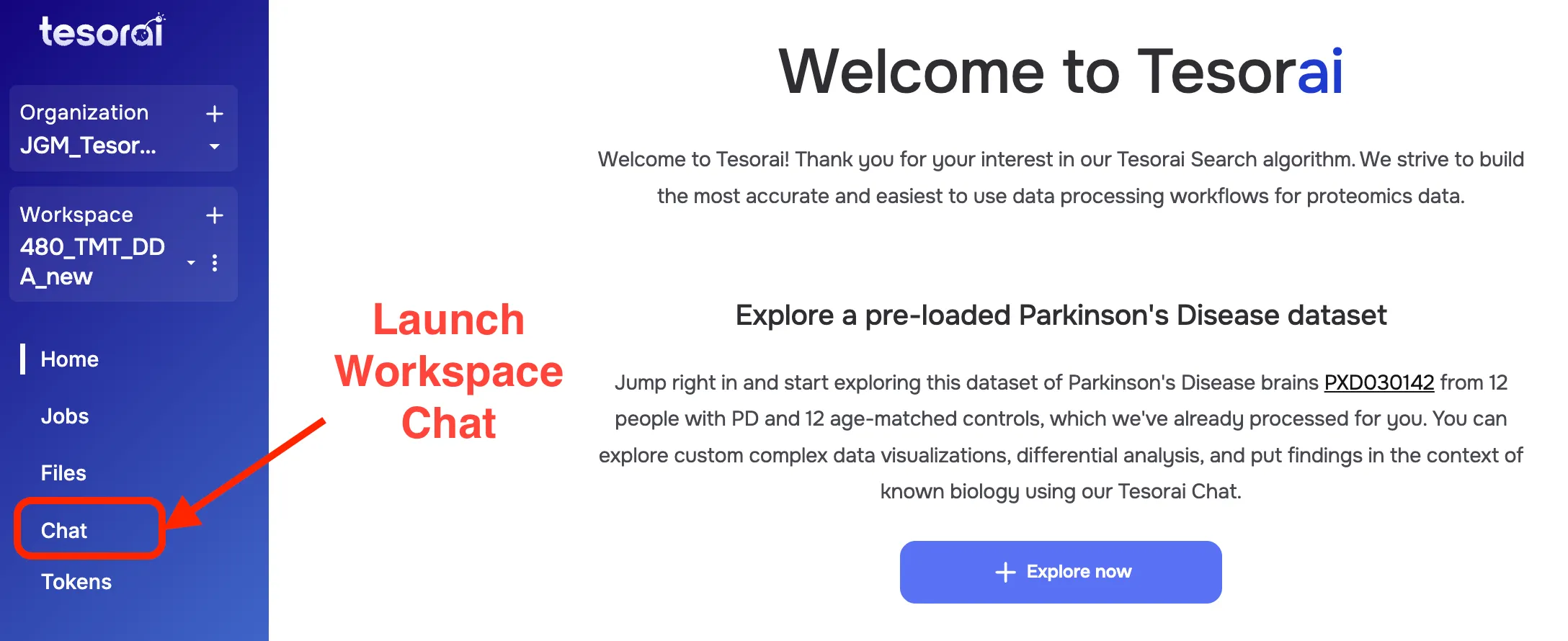
1. Open workspace Chat
Section titled “1. Open workspace Chat”Open Chat for the workspace containing the jobs you want to analyze. Use workspace Chat rather than a job-specific conversation when selecting multiple jobs.
2. Select the jobs
Section titled “2. Select the jobs”Use the job selection controls in Chat to add the Search jobs you want to include. Give jobs descriptive names so you can refer to them clearly.
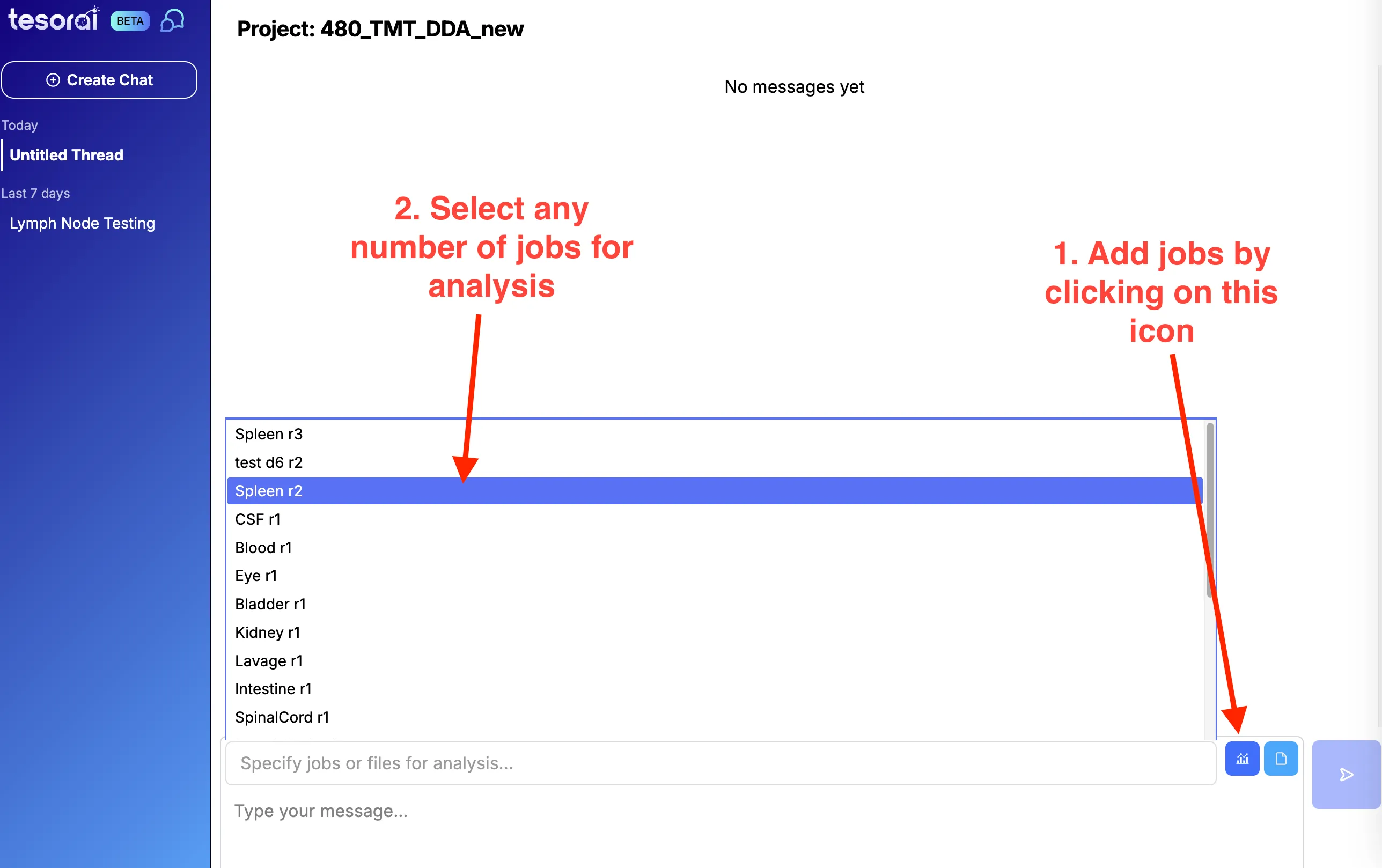
Check the selection before each request. If you change the jobs being used, tell Chat which sources to use for the next analysis.
3. Check what is comparable
Section titled “3. Check what is comparable”Ask Chat to summarize the selected inputs before combining or comparing results.
| Check | Why it matters |
|---|---|
| Samples and raw files | Reprocessing the same raw file creates another analysis of the same measurement, not another biological replicate. |
| FASTA database and identifiers | Different databases or grouping rules can change which proteins and protein groups are reported. |
| Acquisition and labeling | DDA, DIA, and TMT can produce different measurement structures and abundance summaries. |
| Search settings | Digestion, modifications, MBR, and confidence thresholds can affect identification counts and coverage. |
| Quantification and preprocessing | Use compatible abundance columns and check normalization, transformation, and missing-value handling. |
| Experimental design | Preserve biological samples, technical repeats, fractions, pairing, and batch information. |
For example:
Summarize the selected Search jobs by name, input files, experimental design, and available result tables. Identify differences in search settings and quantification that could affect a comparison. Tell me which details are unavailable before proceeding.
Some details may require reviewing the original job settings. See Understanding Search Results for the meaning of the output tables and abundance columns.
4. Work through a comparison
Section titled “4. Work through a comparison”Example: compare two searches of the same raw files
Section titled “Example: compare two searches of the same raw files”Suppose you searched the same files twice with different settings and named the jobs Study_A_Search_1 and Study_A_Search_2.
First confirm that the input files match and identify the settings that differ. Then ask for a comparison at a defined identification level:
Compare Study_A_Search_1 and Study_A_Search_2 using their peptide result tables. Confirm that both jobs contain the same raw files and report the confidence thresholds used. Count distinct modified peptide sequences per file, then show the overlap and peptides unique to each job. State how decoy rows are handled.
Review the table definitions and filters before interpreting the output. Counts of PSM rows, distinct peptide sequences, precursors, and protein groups measure different things.
A larger identification count by itself does not establish greater accuracy. Inspect the evidence supporting findings of interest and account for differences in thresholds and search space.
Example: explore samples processed in separate jobs
Section titled “Example: explore samples processed in separate jobs”If different samples from one study were processed in separate jobs, explain how they belong together and provide the sample-to-condition mapping.
These jobs contain different samples from the same study. Use the attached sample metadata to map each file to its biological sample, condition, and batch. Check identifier and quantification compatibility, and flag duplicate samples. Propose a combined data-quality review before running a group comparison.
Confirm that each biological sample is represented appropriately. Separate jobs do not automatically make their measurements directly comparable; review the proposed handling of normalization and batch effects.
5. Refine and inspect the analysis
Section titled “5. Refine and inspect the analysis”Continue with focused questions, such as:
- “Show identification overlap for the matching files only.”
- “Which proteins have consistent changes across these experiments?”
- “Show the sample-level values behind this finding.”
- “Explain how shared protein groups and missing values were handled.”
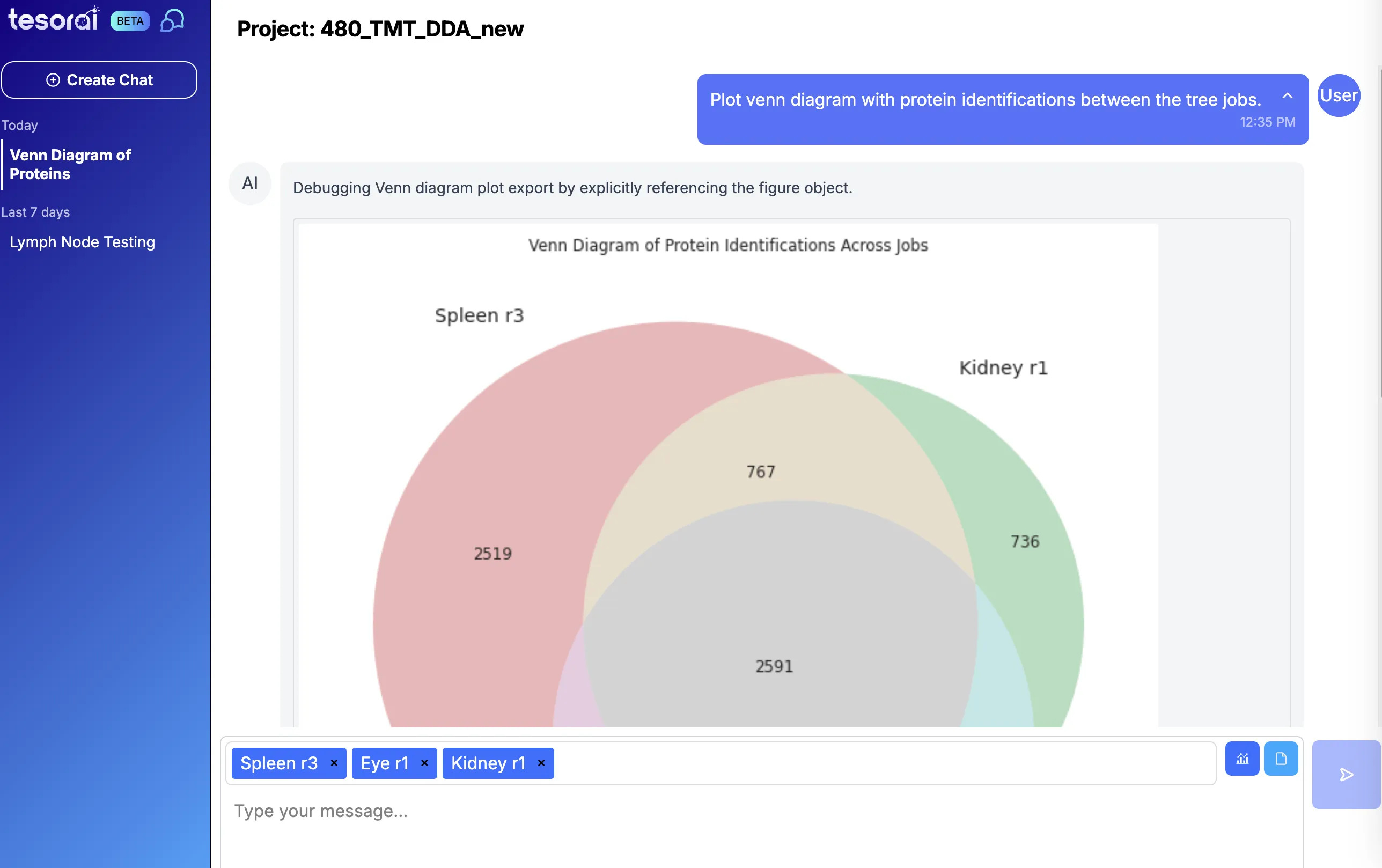
Use View code on generated outputs to inspect source selection, identifier matching, filters, aggregation, and statistical settings. Return to the Search dashboard when you need to examine an individual identification’s supporting evidence.
See the Chat quickstart for guidance on reviewing the analysis and exporting figures, tables, and methods.
Related workflows
Section titled “Related workflows”- For outputs from other tools or assays, see Analyze Your Own Results.
- For public-study analysis and comparisons with saved results, see Using Trove.
- For working with colleagues, see Collaborative Workspaces.
For help with a particular comparison, email info@tesorai.com with the job names, what each represents, and your analysis goal.