
Custom Files
Tesorai’s custom files feature allows you to upload custom files, such as outputs from other search engines, or Olink and Somascan data. Various data formats are supported, including TXT, TSV, CSV, XLSX, Parquet, and ADAT.
Uploading Custom Files
Section titled “Uploading Custom Files”Custom files can be uploaded in two ways:
- Files tab: Files can be pre-uploaded under the Files tab, identically to how raw files are uploaded for Search
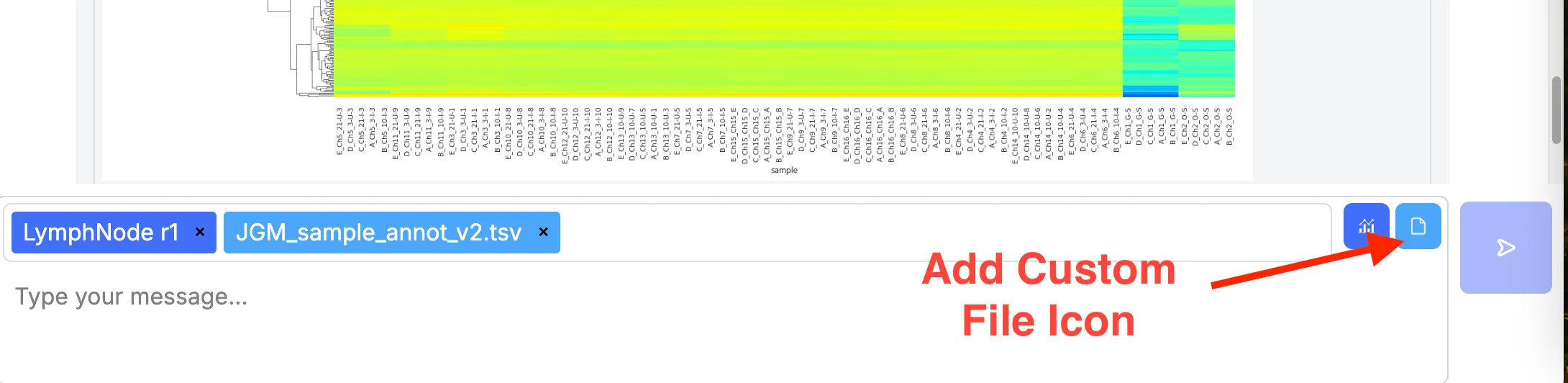
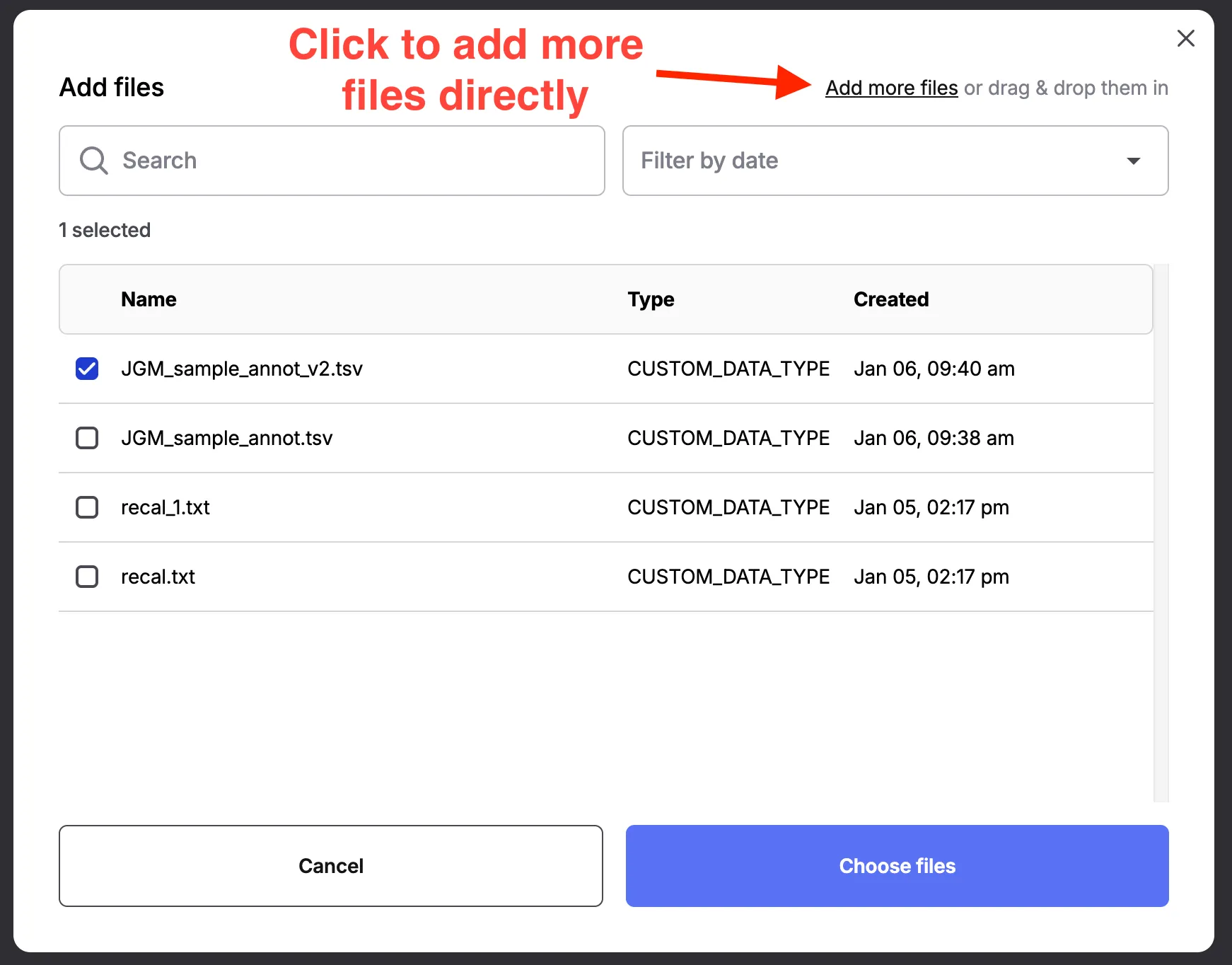
- Directly in Search: Upload and add custom file directly in the chat as follows:
-
Click the “Add Custom File” icon:
-
Select existing or add new files:
Analyzing Data from Custom Files
Section titled “Analyzing Data from Custom Files”You are now ready to analyze the custom data by just using natural language commands. Custom files can be added and analyzed together with results from your Search jobs.
Best Practices
Section titled “Best Practices”- Refer to custom filename when analyzyng the data from it.
- Briefly describe the content of the file for better Chat performance.
- When comparing outputs from Tesorai Search with those of another search engine, be sure to explain how protein identifiers should be matched, as different engines often use different nomenclature. You do not need to perform the matching yourself—simply describe the matching rules to Chat, and it will handle the rest automatically. Also, note that different engines can use different FDR filter settings so make sure those match for a fair comparison.
If you have any questions, please reach out to info@tesorai.com.